

Your Day in One Place
My Day is the first page you see each morning: today’s meetings from Google Calendar, the customers waiting on a reply, tasks due and the deals that need a push.
Wrap Up After Every Call
Type a few rough lines when a meeting ends. Atlas turns them into meeting notes, next steps, a deal update and a follow-up email for you to check.
Learn More About My DayYour Gmail, Inside the CRM
The full inbox, read live from Gmail. Every thread shows its company and deal, Needs Reply shows who is waiting, and Atlas drafts answers in your voice.
Learn More About Inbox and EmailTasks the Whole Team Can See
Calls, emails and follow-ups with an owner and a priority. A reminder when one is due, a digest at 8am and a board on every deal.
Learn More About Tasks
My Day
Good morning, MayaTue, Oct 13 · 3 customer meetings · 1 waiting for notes · 3 tasks due
Today3Open Calendar
- 9:00 AM30mRenewal ReviewRailfinRailfin RenewalProposalLena Fischer
 Wrapped Up
 - 10:00 AM1hSecurity ReviewQuince DevicesQuince Security SuiteEvaluationPriya Shah, Tom Reed
 Wrap Up
 - 2:30 PM30mDiscovery CallStarfold StudiosStarfold AnalyticsDiscoveryDana Reyes
 JoinOpen Brief
Wrap Up Security ReviewFrom your rough notes
- Meeting Notes
- SSO is a must for Priya’s team. IT wants the security questionnaire by Friday.
- Next Steps
- Send the security questionnaire, due Fri
- Follow-Up
- Draft ready, written in your voice
- Deal Update
- Probability 40% → 60%
Save and SendCancel
Replies Owed2Open Inbox
- Priya Shah8:42 AMRe: SSO and audit logsCan you confirm SCIM support before Friday?
- Tom BeckerYesterdayOrder form questionsLegal flagged two clauses in section 4.

Tasks Due3All Tasks
- Send pricing to ReelvanaEmailHighToday
- Call Dana about pilot scopeCallToday
- Follow up with Verane legalFollow-UpOverdue · Yesterday
An AI Teammate That Asks Before It Acts
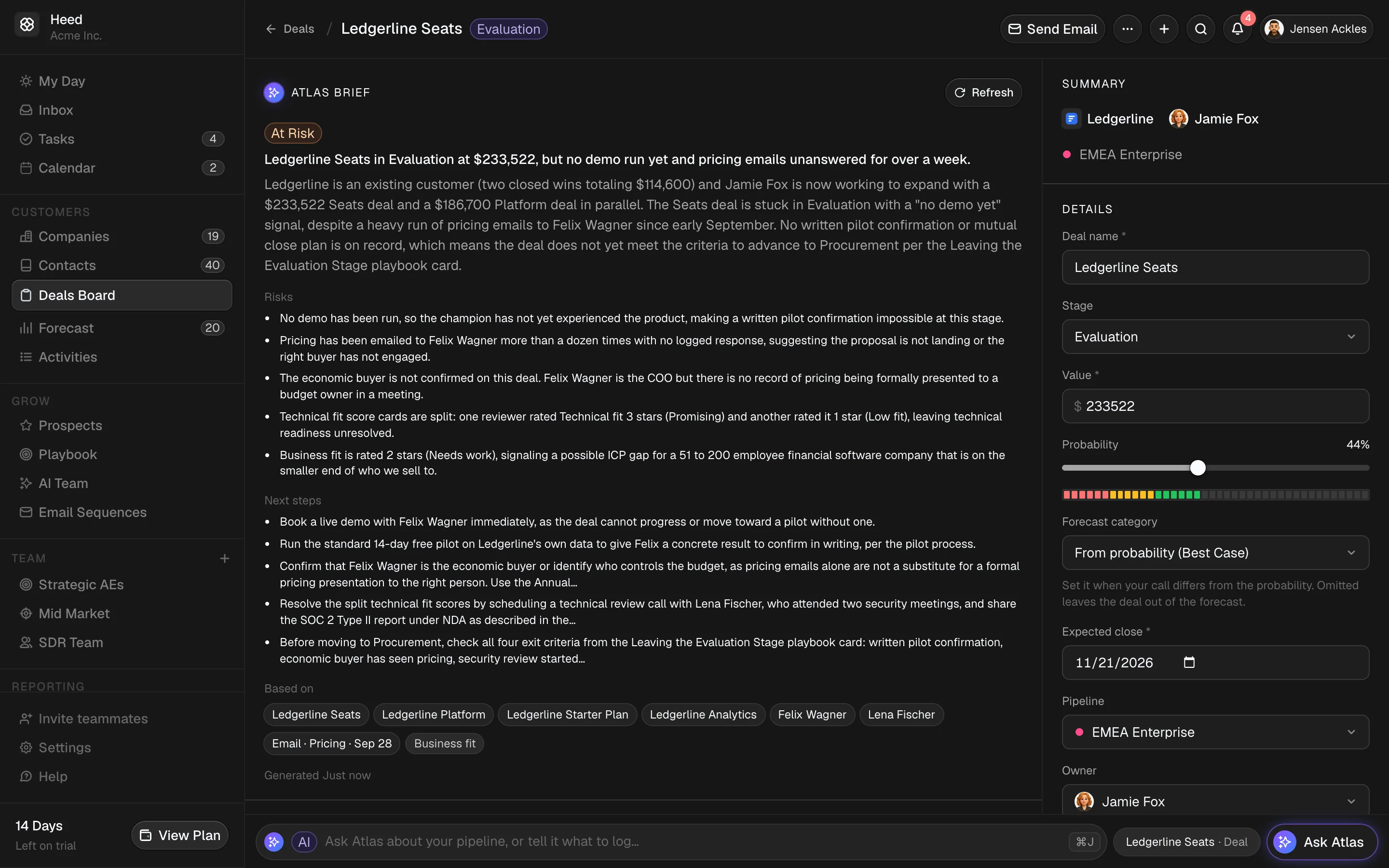
Atlas is built into every page. It knows your company, your deals and your team, coaches each deal against your stages, and never edits a record on its own.
Ask Anything About Your Pipeline
Press ⌘J on any page and ask which deals need attention this week. Atlas answers from your own records and links every deal, company and contact it mentions.
It Knows Your Company
Setup reads your website and drafts what you sell and who you sell to. Admins edit it, reps suggest changes, and Atlas works from it.
It Writes Like You
Replies, follow-ups and booking confirmations come back in your voice. Learning from your sent mail is opt-in.
It Proposes, You Confirm
Ask it to move a stage, log a call or add a task. Each change arrives as a card, and one card can update up to 200 records.
Nothing changes until you press Confirm. Each proposal runs once, and only after you approve it.
Evaluation10
- LedgerlineLedgerline Seats$233,52244%
- Starfold StudiosStarfold Analytics$103,94260%
- Beacon GrowthBeacon Seats$116,82358%

Procurement17
- Northcore SystemsNorthcore Data Pipeline$76,72295%

- ReelvanaReelvana Analytics$92,22182%

Prepared a deal update
Move Ledgerline Seats to Procurement
- Stage
- Evaluation → Procurement
- Probability
- 44% → 75%
ConfirmCancel
Heed in Claude and ChatGPT
Ask about your pipeline, log a call or update a deal without leaving Claude or ChatGPT. They use the same CRM tools as Atlas, with your permissions.
Connect in a Minute
In Claude or ChatGPT, add Heed as a connector and sign in. Claude Code, Cursor and other tools can use a personal token.
Learn More About Atlas AIYour Permissions, Nothing More
The tools act as you. Every change goes through the same checks as the app and shows in the record’s history.
Gmail Stays Out
AI tools can’t search or read your Gmail, send email or enroll contacts in sequences.
ClaudeHeed connected
Which of my deals need attention this week?
Heed · List At Risk DealsThree of your deals need a push:
- Maison Verane PlatformPast close date

- Reelvana AnalyticsNo pricing talk yet
- Northcore Data PipelineSingle-threaded
Push Reelvana Analytics to close on Nov 14.
Heed · Update DealAllowedDone. Reelvana Analytics now closes on Nov 14.
Heed
Sam Ortiz pushed the close date from Oct 31 to Nov 14
Via AI Connection · Just now
Sam Ortiz moved the stage from Discovery to Evaluation
Via Atlas · Oct 6
Sam Ortiz set the value to $92,221
Via Import · Sep 28
Know What Each Deal Needs Next
A rep with 23 open deals can’t remember which ones still need pricing. Heed keeps track for them, and every Monday it tells each person what changed.
A Checklist for Every Stage
Admins decide what done means for each stage, or keep the defaults. Atlas checks every open deal against it and shows the evidence behind each answer.
Learn More About Deals and CoachingWhat’s Missing, Then a Plan
Each gap before the next stage comes with an Add Task button. Atlas drafts a dated close plan that the rep edits and saves.
This Week and the Monday Brief
See what moved, slipped, closed and appeared since last week. At 8am on Monday, reps get their own deals by email and managers get the team.
Learn More About Forecast and Reports
Evaluation · Done When
- Demo doneDemo for Priya and two engineers on Oct 6.Done
- Technical fit confirmedSSO questions from Oct 8 are still open.Not Yet
Next: Proposal · Done When
- Pricing sharedNo pricing talk in email or notes yet.Not Yet
- Proposal sentUnknown
What’s Missing to Reach Proposal
- Answer the open SSO questionsAdd Task
- Book a pricing call with financeAdd Task
Close Plan
- Oct 16Security review with IT
- Oct 23Proposal and pricing
- Nov 6Order form signed
This WeekSince last Monday
- Net Pipeline Change
- +$84,200$1,120,400 → $1,204,600
- New Deals
- $126,0003 deals
- Won
- $48,0001 deal
Slipped
- Maison Verane PlatformOct 30 → Nov 20
- Northcore Data PipelineOct 24 → Nov 14
HeedMon, 8:00 AMYour Monday brief: 1 won, 2 slipped
Reelvana Analytics needs a technical sign-off before it can reach Proposal. Maison Verane Platform moved its close date to Nov 20.
A Forecast You Can Defend
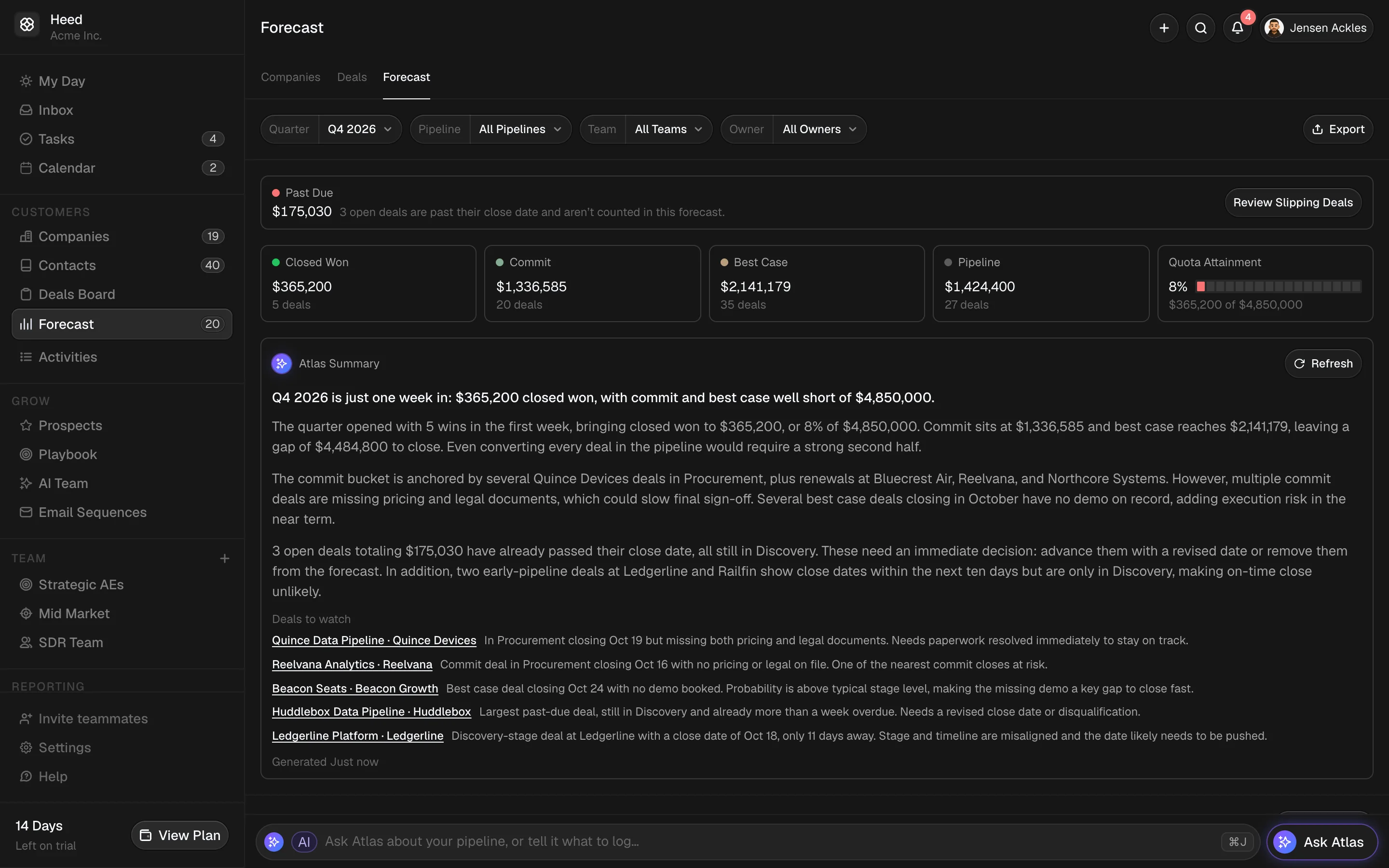
Every number traces back to a deal, a rep’s call or a manager’s adjustment, so you can explain it to your team and your board.
A Category on Every Deal
Owners and managers mark deals Commit, Best Case, Pipeline or Omitted. Left empty, a deal follows its probability.
A Weekly Call From Each Rep
Reps submit their commit and best case for the quarter every week. Managers adjust a call when they know more, and everyone sees what changed since last week.
Quotas That Keep the Past
Quotas are set per rep and quarter. Changing this quarter never rewrites last quarter’s attainment.
Win/Loss and CSV Exports
Win rate, deal size, sales cycle and lost reasons for each rep. Managers can export any report as CSV.
Forecast CallsQ4 2026 · This week
- Team Commit
- $571,000
- Called This Week
- 2 of 3
- Adjusted
- 1
RepFrom DealsRep’s CallManager’s Call
- Sam Ortiz$182,000$195,000+$20,000 vs last weekNone
- Aisha Khan$240,000$280,000+$45,000 vs last week$250,000AdjustedVerane legal moves to January
- Priya Shah$126,000No call yetNone
Every Meeting Lands in Your Pipeline
Heed reads your Google Calendar, logs customer meetings on the right company and gives each rep a booking page. Guests get reminders a day and an hour before, and can reschedule from a link.
Meetings Log Themselves
Customer meetings from Google Calendar land on the right company. Create and edit events with Google Meet without leaving Heed.
No Follow-Up Goes Missing
A customer meeting with nothing logged since stays striped red until someone adds notes or wraps it up.
Booking Pages With Meeting Types
Up to 10 meeting types on your own page, plus one-off links for a single deal. Set buffers, minimum notice, daily limits and intake questions.
Learn More About Booking LinksEvery Booking Becomes a Deal
A booking creates the contact, the company and an Inbound deal. Atlas scores the fit, suggests an agenda and writes the confirmation in your voice.
Mon12
Tue13
Wed14
Thu15
Fri16
9 AM10 AM11 AM12 PM1 PM2 PM3 PM4 PM5 PM
Railfin
Quince Devices
Quince Devices
Maison Verane
Starfold Studios
Team Standup
Bluecrest Air
Bluecrest Air
Northcore Systems
Railfin
Payvane
Payvane
Quince Devices
Maison Verane
Starfold Studios
1:00–5:00 PM
External Time
8hwith customers
Waiting for Notes3
- Quince DevicesMon 1:00 PM
- Bluecrest AirWed 11:30 AM
- PayvaneThu 2:00 PM

Maya BrooksIntro Call
- 1:00 PM
- 1:30 PM
- 2:00 PM2:00 PM
- 2:30 PM
- 3:00 PM
- 3:30 PM
- 4:00 PM
- 4:30 PM
Everything a Small Sales Team Needs
Companies, contacts and deals in pipelines you shape, sequences from your own domain, and Atlas wherever it saves you a step.
Pipelines With Your Own Stages
Each pipeline gets its own stages and default probabilities. Drag deals across the board as they move.
Learn More About Deals and Coaching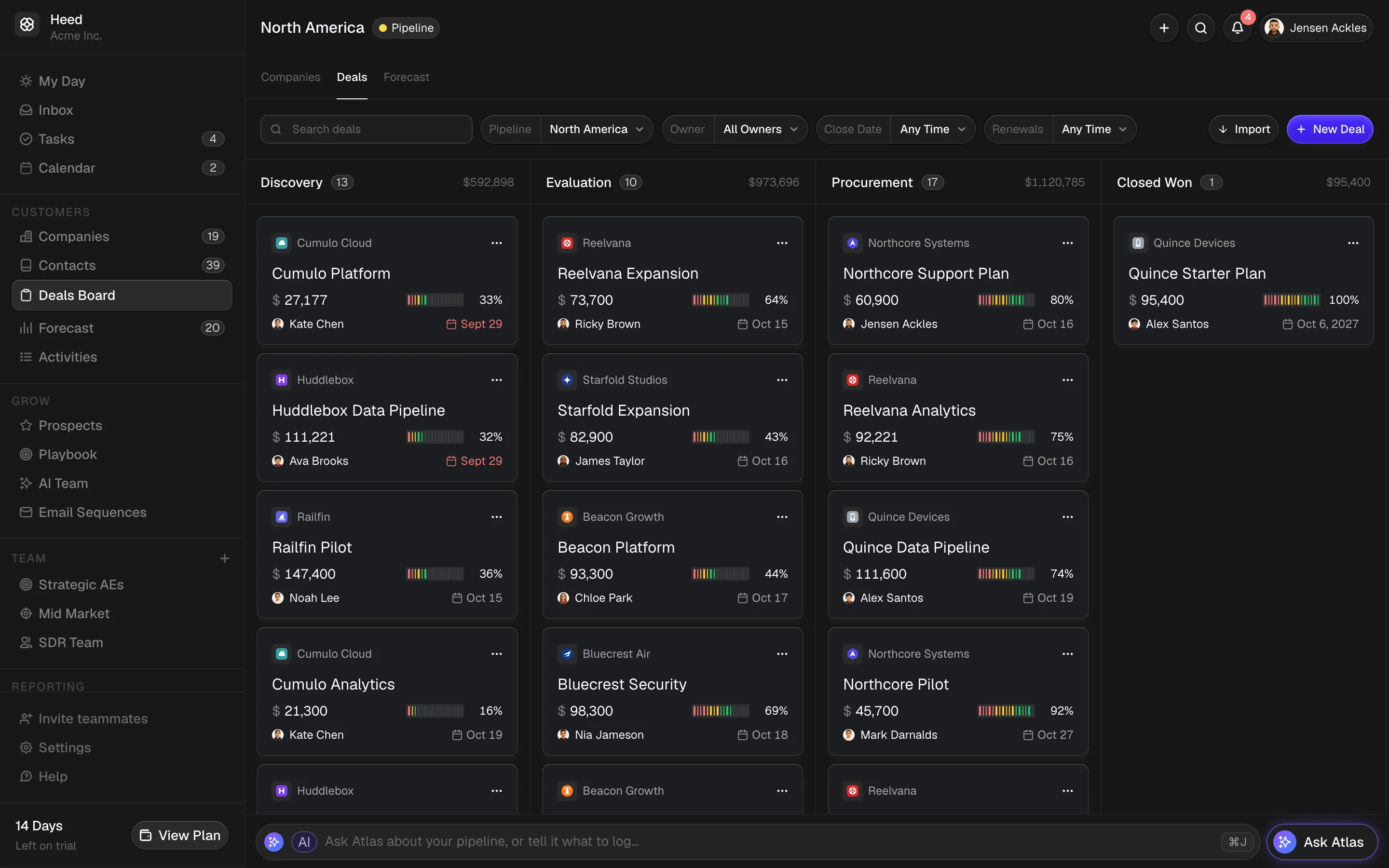
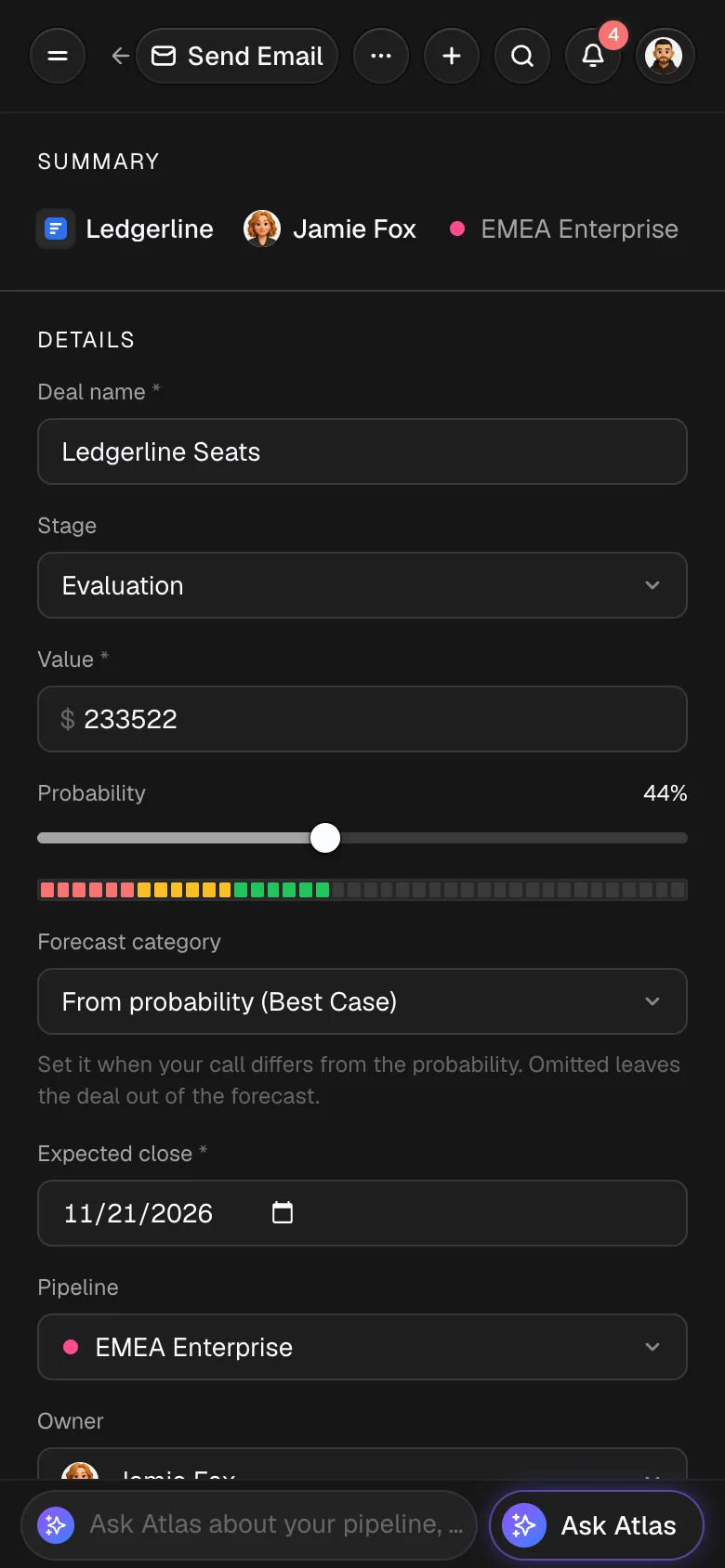
Works on Your Phone
Check a deal, update the stage or ask Atlas between meetings.
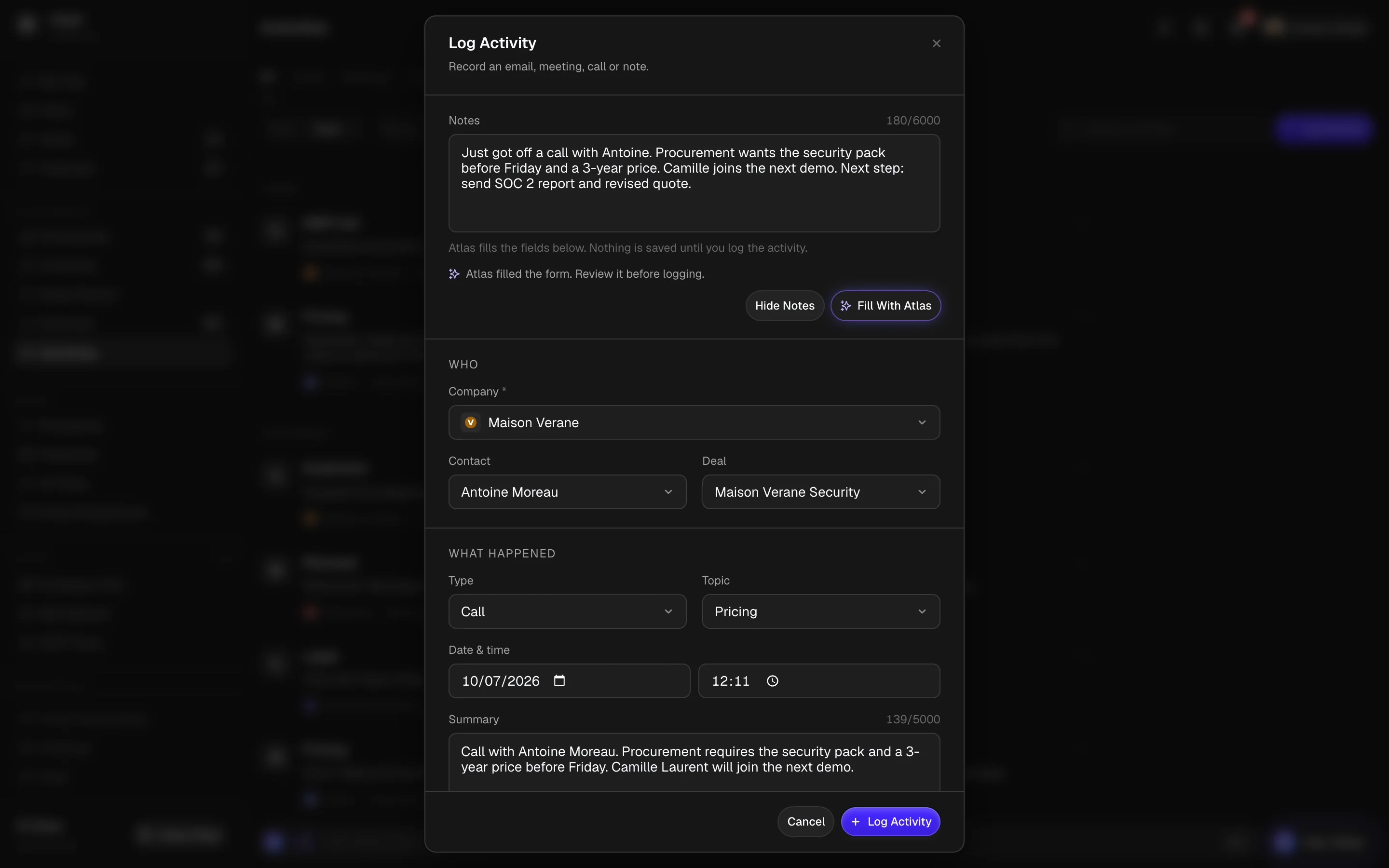
Paste Notes, Atlas Fills the Form
Drop rough call notes into Log Activity. Atlas fills in the company, contact, deal and summary for you to check.
Sequences From Your Own Domain
Follow-ups go out from your company’s domain, with warmup, daily caps and an unsubscribe link. A reply stops the sequence, and Atlas sorts it.
Renewal OutreachActiveSends from acme.co- Step 1 · Day 0Planning your {{company}} renewal
- Step 2 · Day 3Quick follow-up on your renewal
- Step 3 · Day 8Last check before your renewal date
Lena FischerRepliedSequence stoppedAtlas sorted the reply as interested and suggested a deal.Prospects Already in Your Inbox
Companies you email or meet that aren’t in Heed yet, checked by Atlas against who you sell to. Add one in a click.
Learn More About ProspectsProspects3- Cartwheel Commerce4 emails, 1 meetingAdd CompanyAn e-commerce platform that asked about pricing twice.

- Parley2 emailsAdd CompanySells software to support teams, which matches who you sell to.

- Driftbase1 meetingAdd CompanyTheir RevOps lead joined your demo last week.

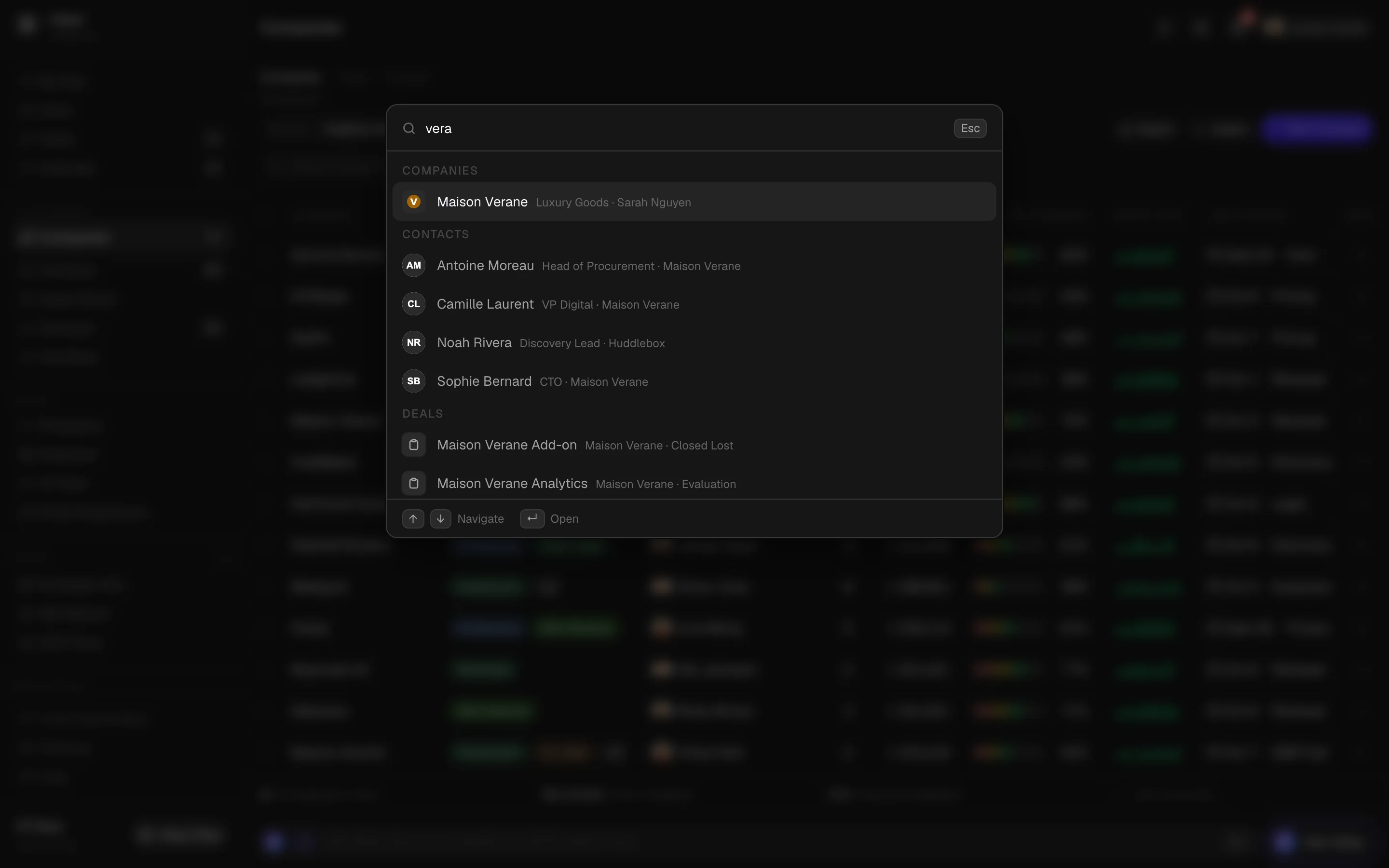
⌘K Search
Jump to any company, contact or deal from anywhere in Heed.
Also in Heed
- Deal Signals
- Deal Suggestions From Email
- Slipping Deals Report
- Team Booking Links
- Renewal Dates
- AI Teammates (Beta)
- Playbook and Cue Cards
- Custom Fields
- Manager and Rep Roles
- Comments and @Mentions
- Realtime Notifications
- Hover Cards
- Open and Click Tracking
- Booking Page Embed
- Workspace Currency
- CSV and ZIP Export
- Product Tour With Example Data
Switch in an Afternoon
Bring companies, contacts and deals over from HubSpot, Pipedrive or a spreadsheet. Owners and stages map on the way in, and Heed lists possible duplicates for you to merge.
- 01
Join the Waitlist
When your spot opens, your workspace starts a 14-day free trial, no credit card needed.
- 02
Import Your Data
Upload CSV exports of companies, contacts and deals. Map owners, stages and custom fields, then skip, update or overwrite duplicates.
- 03
Connect Google
Calendar works with any Google account. Gmail opens once your Workspace admin trusts Heed, which takes a minute.
- 04
Invite the Team
Records you gave to invited teammates move to them when they join. Each person gets a welcome and a short tour.
Import Dealshubspot-deals.csv
- Upload
- Map
- Owners
- Stages
- Preview
- Duplicates
- Import
Owner in FileRowsAssign To
- Aisha Khan118Aisha Khan
- Sam Ortiz83[email protected] (Invited)
Stage in FileRowsImport As
- Appointment Scheduled41Discovery
- Qualified to Buy28Discovery
- Presentation Scheduled19Evaluation
- Contract Sent12Procurement
- Closed Won64Closed Won
- Closed Lost37Closed Lost
196 New3 UpdateDuplicates: Update Empty FieldsDownload 2 Rejected Rows
Your Data, Under Your Control
Sales email is sensitive and a pipeline is hard to rebuild. Heed only sees what each person chooses to share, keeps a record of every change and lets you take everything with you.
Gmail Is Opt-In
Each person decides whether to connect Gmail. Nothing is read from an inbox until its owner turns it on.
Admins Can’t Read Your Inbox
Nobody else can open your inbox in Heed, and that includes admins. Your mail stays yours.
Private Stays Private
Exclude domains and labels, or mark a single thread private. Anything already logged from them is removed.
Atlas Asks First
Changes arrive as cards and nothing is saved until you press Confirm. Atlas runs on Anthropic’s Claude through Amazon Bedrock, and AWS does not use Bedrock prompts to train models.
Every Change on Record
Deals, companies and contacts show who changed what and when, including changes from Atlas, AI teammates, AI tools and imports.
Deleted Isn’t Gone
Only managers delete records, and deleted ones wait 30 days to be restored. A restored company brings back its contacts and deals.
Isolated Workspaces
Each team gets its own workspace. Your records never show up anywhere else.
AI Tools Get Your Access Only
Claude, ChatGPT and other tools you connect act as you, can’t read your Gmail and lose access the moment you revoke them.
Export or Delete Anytime
Download a CSV or the whole workspace as a ZIP. Delete your account or the workspace from settings, no support ticket needed.
See Which Deals Need You This Week
Join the waitlist and we’ll email you when your workspace is ready.